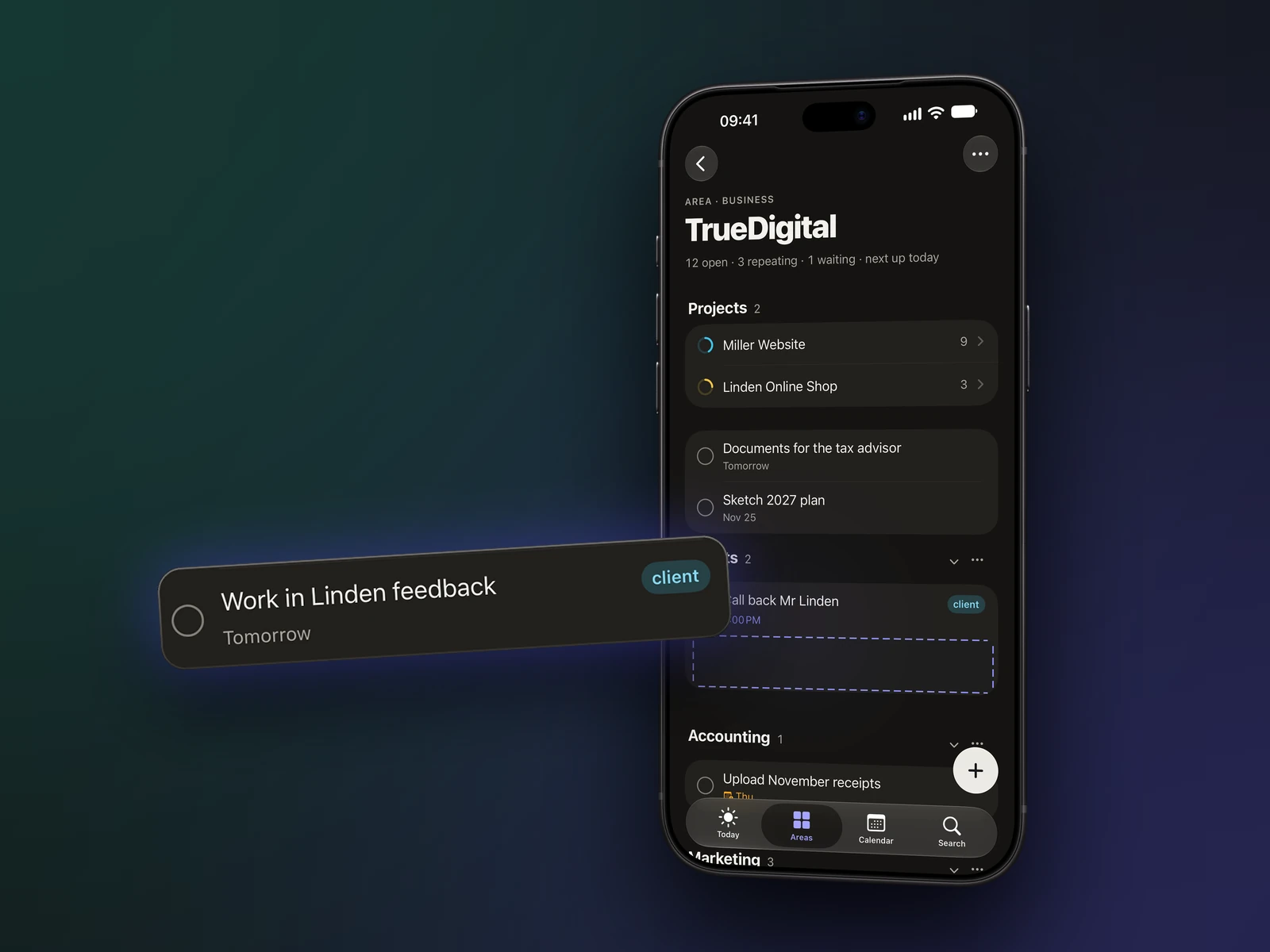
iPhone
Quick to capture, always with you.
- Home and Lock Screen widgets
- Control Center controls
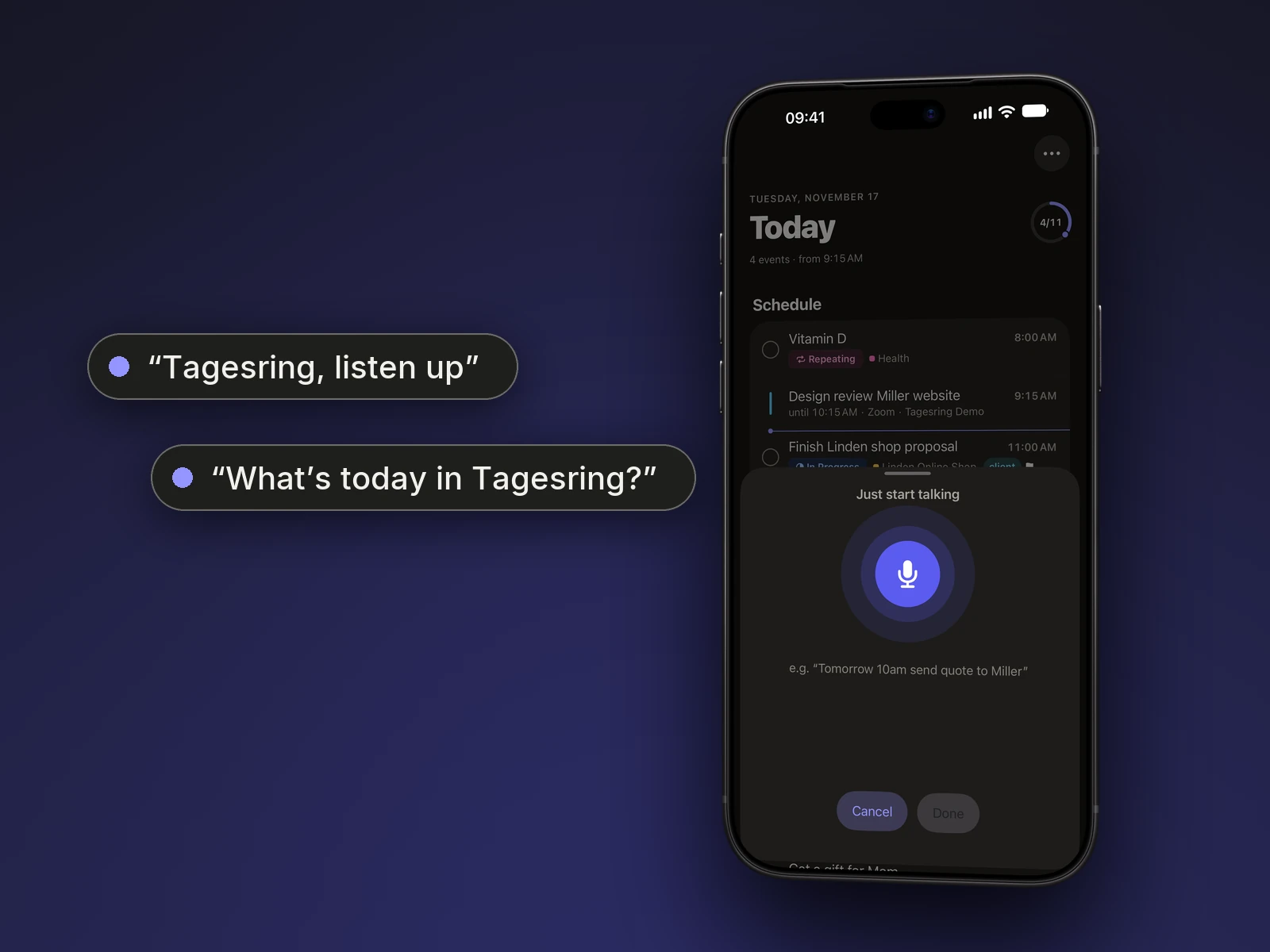
- Speak instead of typing
- Share from any app
To-do list & calendar for iPhone, iPad and Mac
Tagesring brings your to-dos, projects and appointments into one calm system – for work and for life. Just type the way you think: with Apple Intelligence, one sentence becomes a task or an event, right on your device.
Apple Intelligence
Type “Tomorrow 2pm proposal for Miller #client” – Tagesring picks up the date, time, tags and area while you type. With Apple Intelligence, the to-do app also understands free-form sentences and suggests the right area.
Apple Intelligence is available on supported devices, such as iPhone 15 Pro or later and iPad and Mac with M1 or later. Without Apple Intelligence, Tagesring still recognises date, time, tags and area.
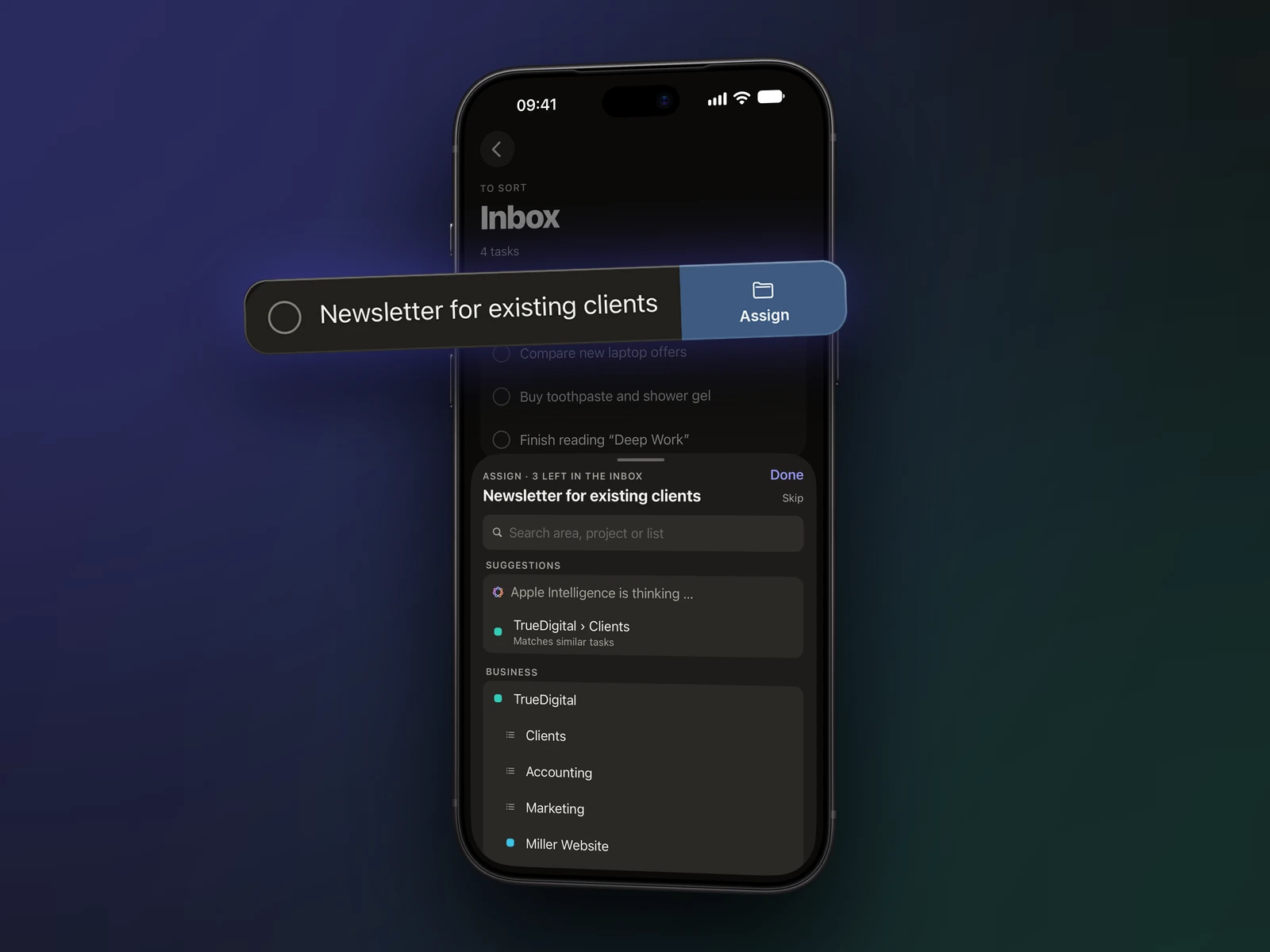
Inbox
Anything without a place or a date lands in the Inbox. When you have a moment, swipe a task and choose where it belongs – Tagesring suggests the right area, one tap moves it, and the next one is ready.
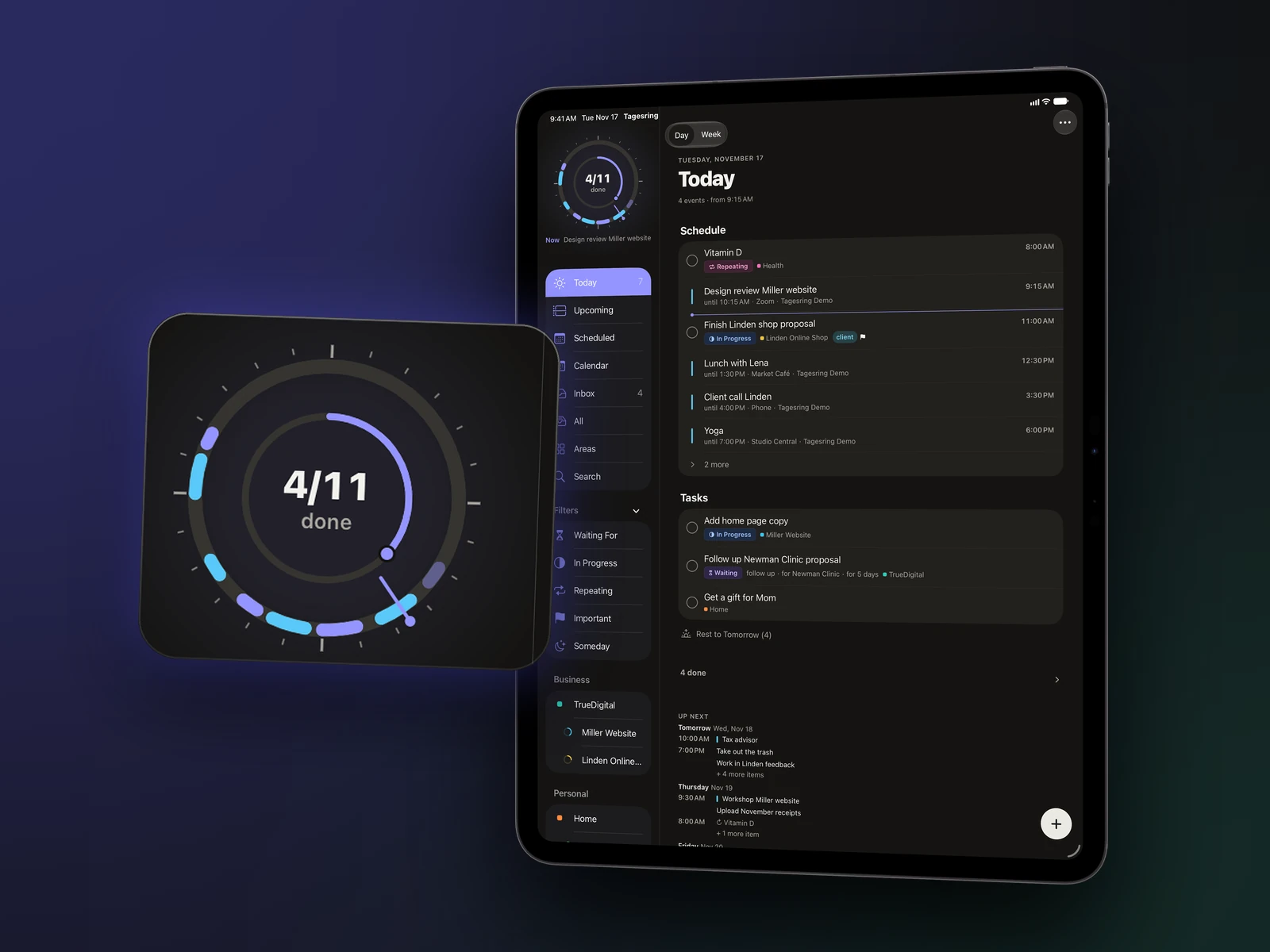
Today
Today is your daily planner: events and tasks in a clear order. A ring shows how far along your day is – and tomorrow it starts fresh. No streaks, no pressure.
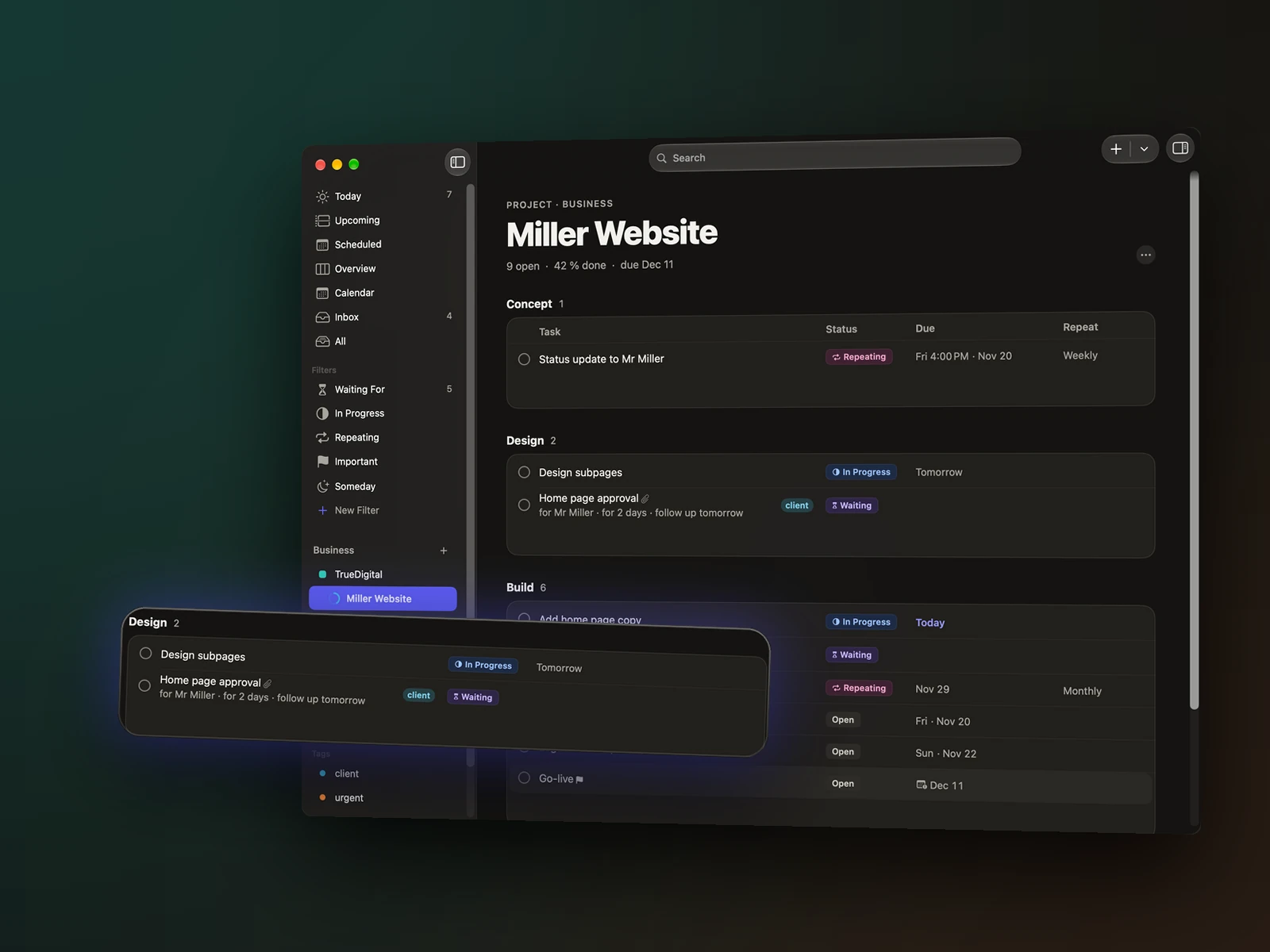
Areas, projects, lists
Sort tasks into areas and projects, split them into lists and view them as a list or a board. Your to-do list stays clear, even when a lot is going on.
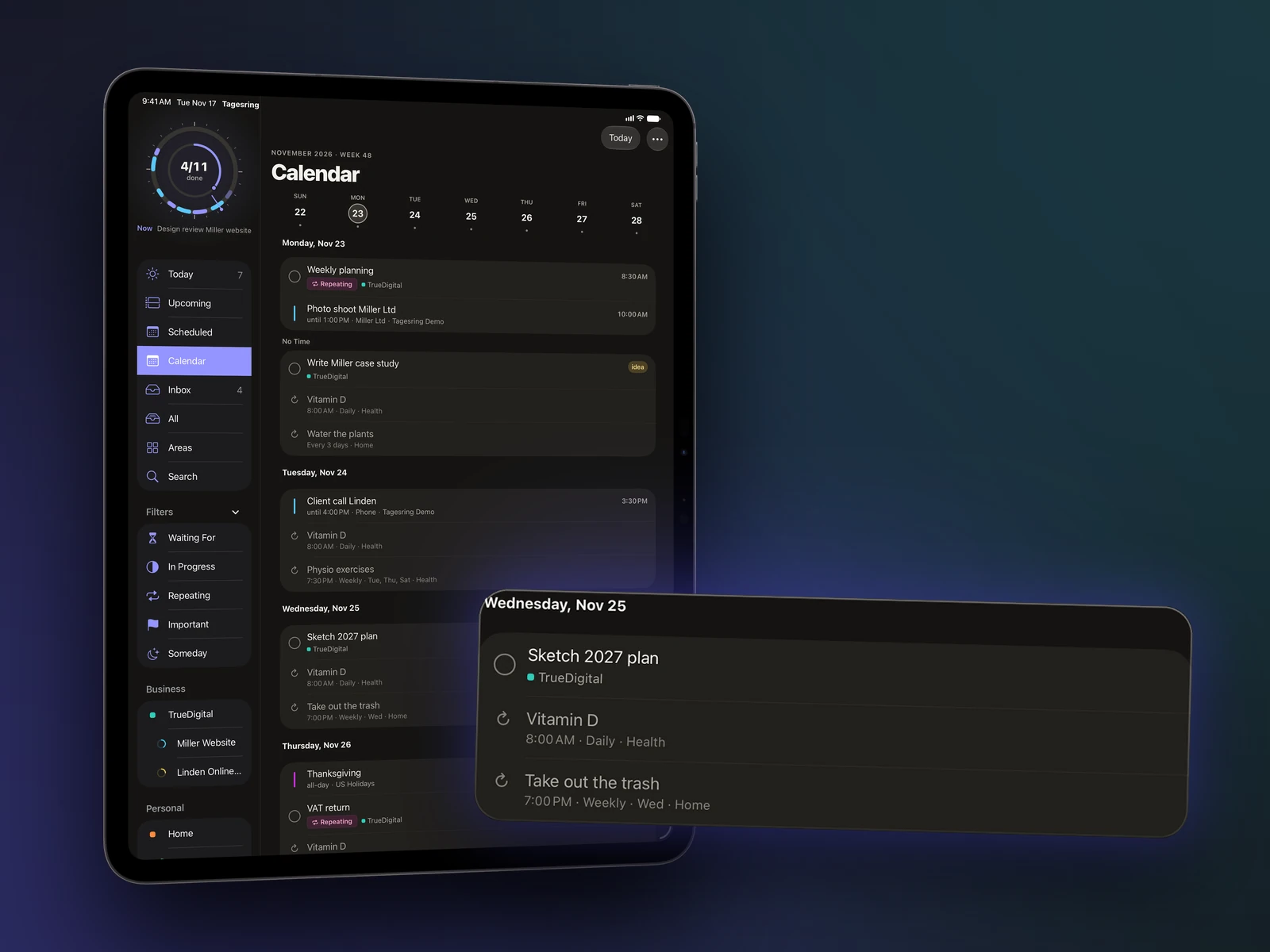
Calendar & tasks
Tagesring shows the events from your calendars – iCloud, Google, Outlook, whatever is set up on your device – right next to your tasks, and adds new events there. No double bookkeeping.
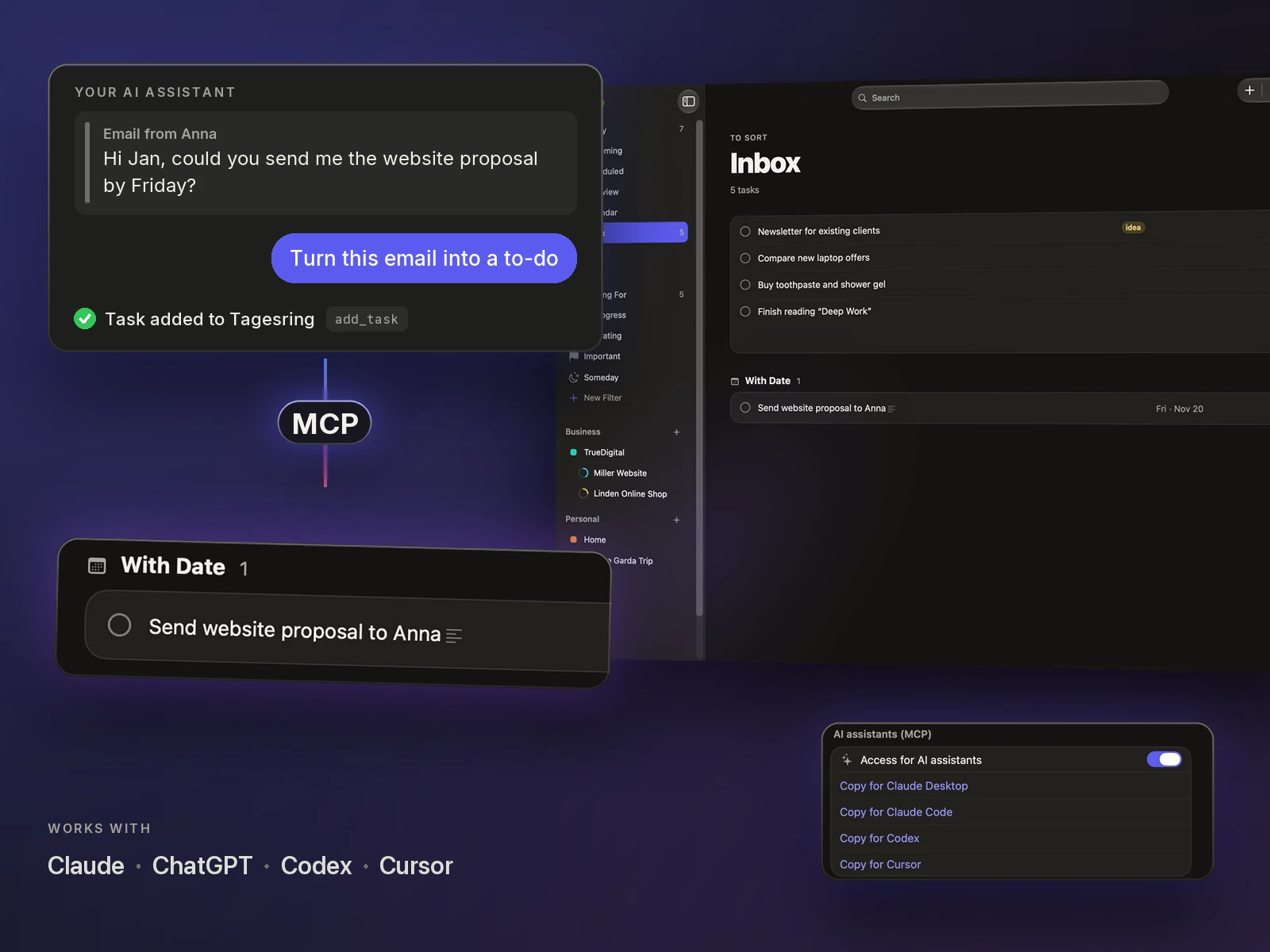
AI assistants (MCP) · Mac
Tell your AI assistant “Make a to-do in Tagesring from this email” – and the task is in your Inbox. Through MCP, the open standard for AI tools, your assistant can add tasks, read Today, Inbox and Upcoming, search, and check things off when you ask.
Widgets, Siri & Shortcuts
Widgets show what’s next and let you check things off right there. Siri adds tasks and tells you what’s on today.
Plan together
Share a project or an area with people who use Tagesring – via their Apple Account, Messages, Mail or a link. You work on the same tasks and see who finished what.
iPhone, iPad and Mac
Not a phone app stretched to fit: Tagesring feels at home on every device. With iCloud, everything is the same everywhere – one purchase for iPhone, iPad and Mac.
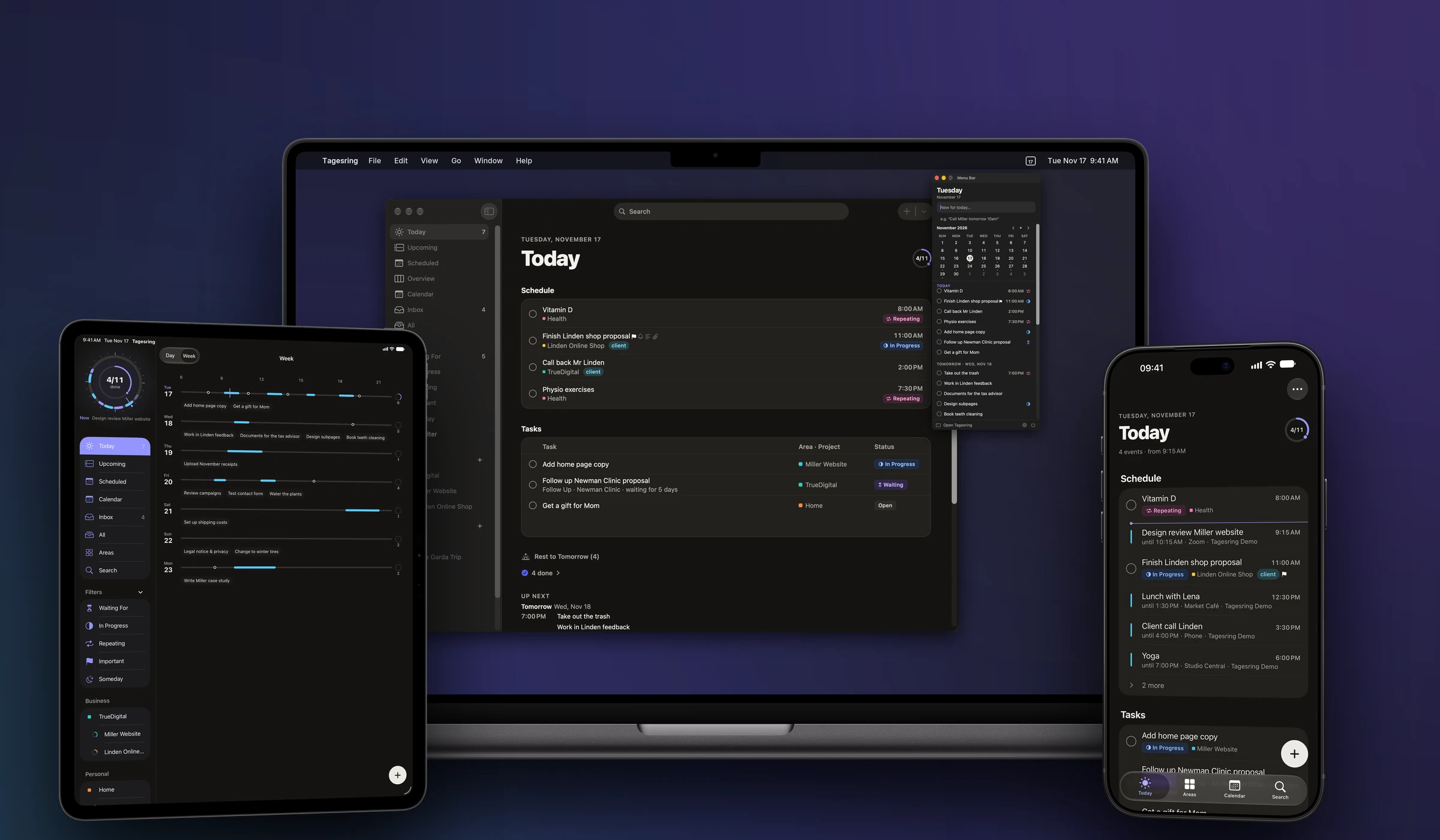
Quick to capture, always with you.
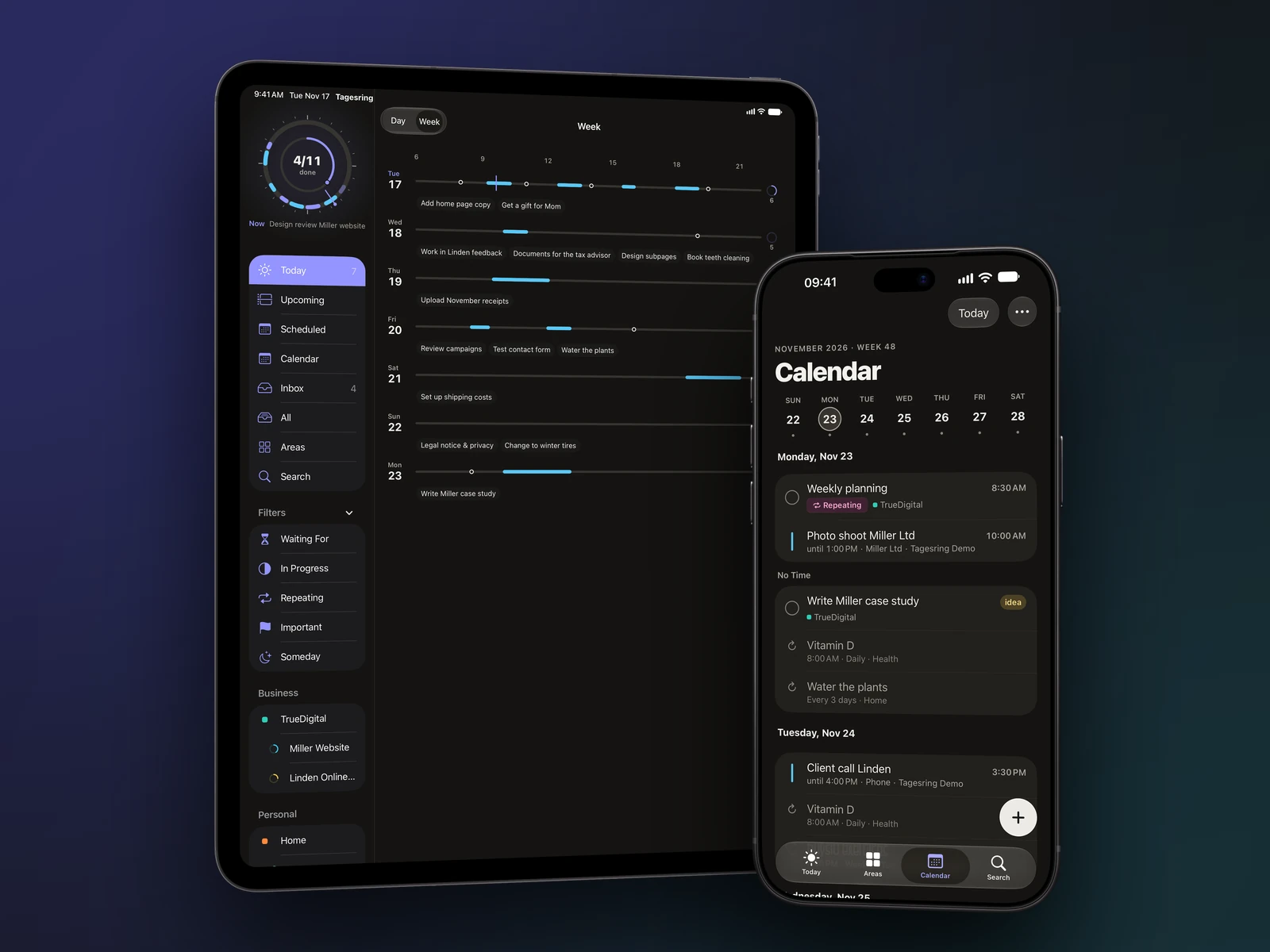
Room to plan.
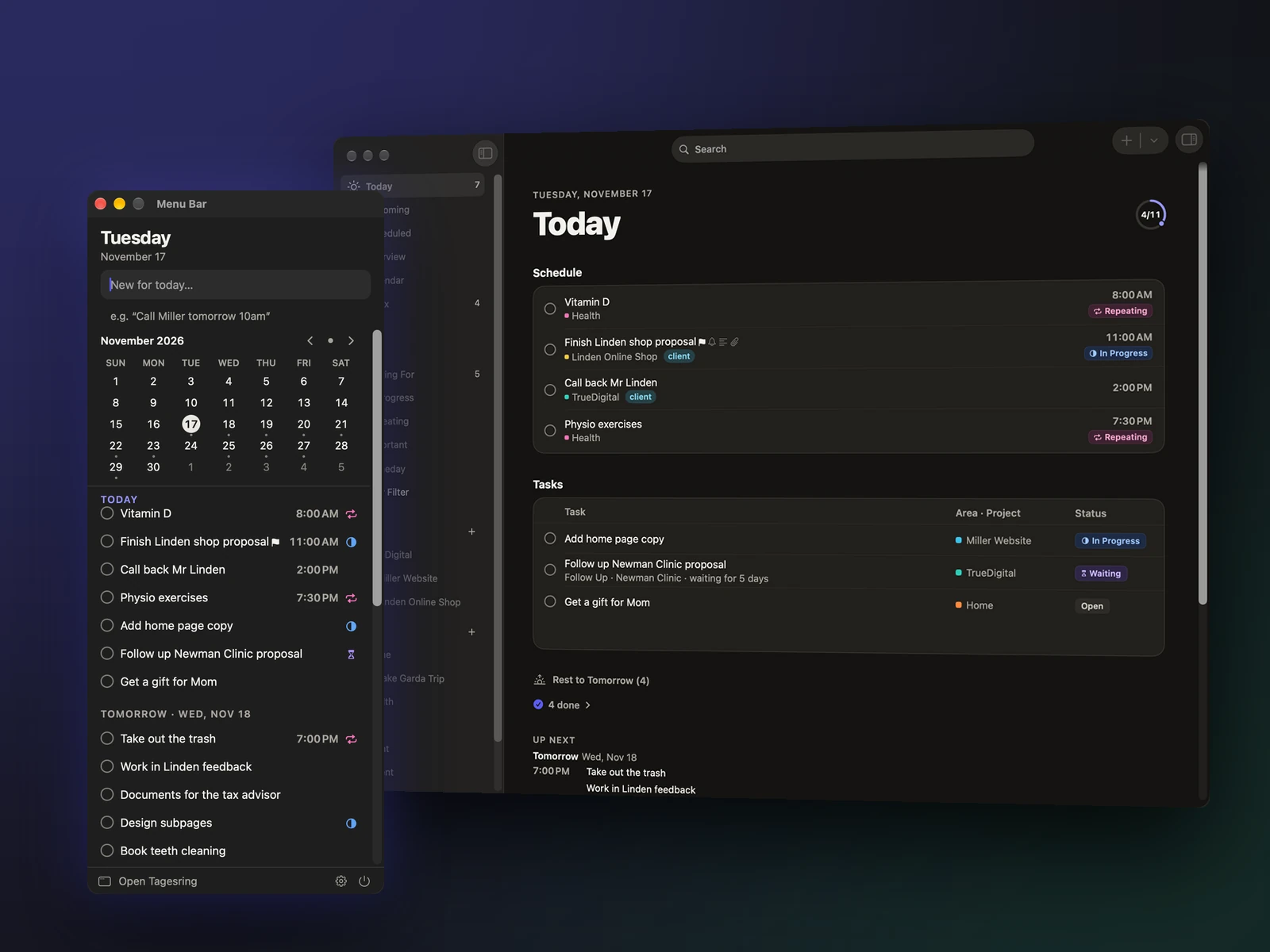
A real Mac app for your workday.
Private by design
Tagesring has no servers of its own. Your tasks live on your devices and in your iCloud – we have no access to them. Read the privacy policy
Install and start. No sign-up, no password.
No ads, no analytics services, no third-party SDKs.
Sync through your private iCloud. Shared content is stored encrypted.
Apple Intelligence understands your sentences locally. AI assistants only if you turn them on.
Pricing
Tagesring Pro unlocks everything – on iPhone, iPad and Mac with the same Apple Account. No ads, no selling of data, no hidden tiers.
$9.99 per month
Cancel any time.
Save 17%
$99 per year
Works out to $8.25 a month.
$299.99 one time
Buy once, keep it forever.
Payment runs through your Apple Account. Prices in US dollars; the App Store shows the price in your currency, which may differ. There is no free trial. Cancel subscriptions in your device’s settings.
Tagesring is a to-do list and calendar app for iPhone, iPad and Mac. It brings tasks, projects and appointments into one calm system and shows you what really matters each day.
On iPhone and iPad with iOS 26 or iPadOS 26 and on Mac with macOS 26 or later. One download covers all your devices, and iCloud keeps them in sync.
No. Without Apple Intelligence, Tagesring still recognises date, time, tags and area as you type. With Apple Intelligence – for example on iPhone 15 Pro or later and iPad and Mac with M1 or later – Tagesring also understands free-form sentences and suggests areas. Everything happens on your device.
No. Tagesring stores everything on your device and syncs it through your iCloud. There is no sign-up, no advertising and no tracking.
Yes. Tagesring shows every calendar set up on your device – iCloud, Google, Outlook and others – and can add new events to them.
Yes, with a guided import in Settings. You see everything first and decide what to bring over.
Yes. Share a project or an area through iCloud with people who use Tagesring. You work on the same tasks and see who completed what.
Tagesring Pro is $9.99 per month, $99 per year, or a one-time $299.99 for lifetime access – with every feature on iPhone, iPad and Mac. The App Store shows the price in your currency. Payment runs through your Apple Account, and you can cancel a subscription any time in your device’s settings.
No. Tagesring is a paid app with no ads and no selling of data. If you just want to try it, choose the monthly plan and cancel any time in your device’s settings (Apple Account › Subscriptions).
MCP (Model Context Protocol) is an open standard that lets AI assistants use tools. Tagesring ships an MCP server with the Mac app: Claude, ChatGPT/Codex, Cursor and other MCP-capable assistants can add tasks, read Today, Inbox and Upcoming, search, and check tasks off.
Access is off by default and runs locally on your Mac. Whatever you show the assistant is processed by its provider under its own terms. On iPhone and iPad, use Shortcuts and Siri.
Yes. Tagesring is available in English and German and follows your device’s language.
More questions? Visit Support or write to [email protected].
Tagesring for iPhone, iPad and Mac.